Productivity & Automation
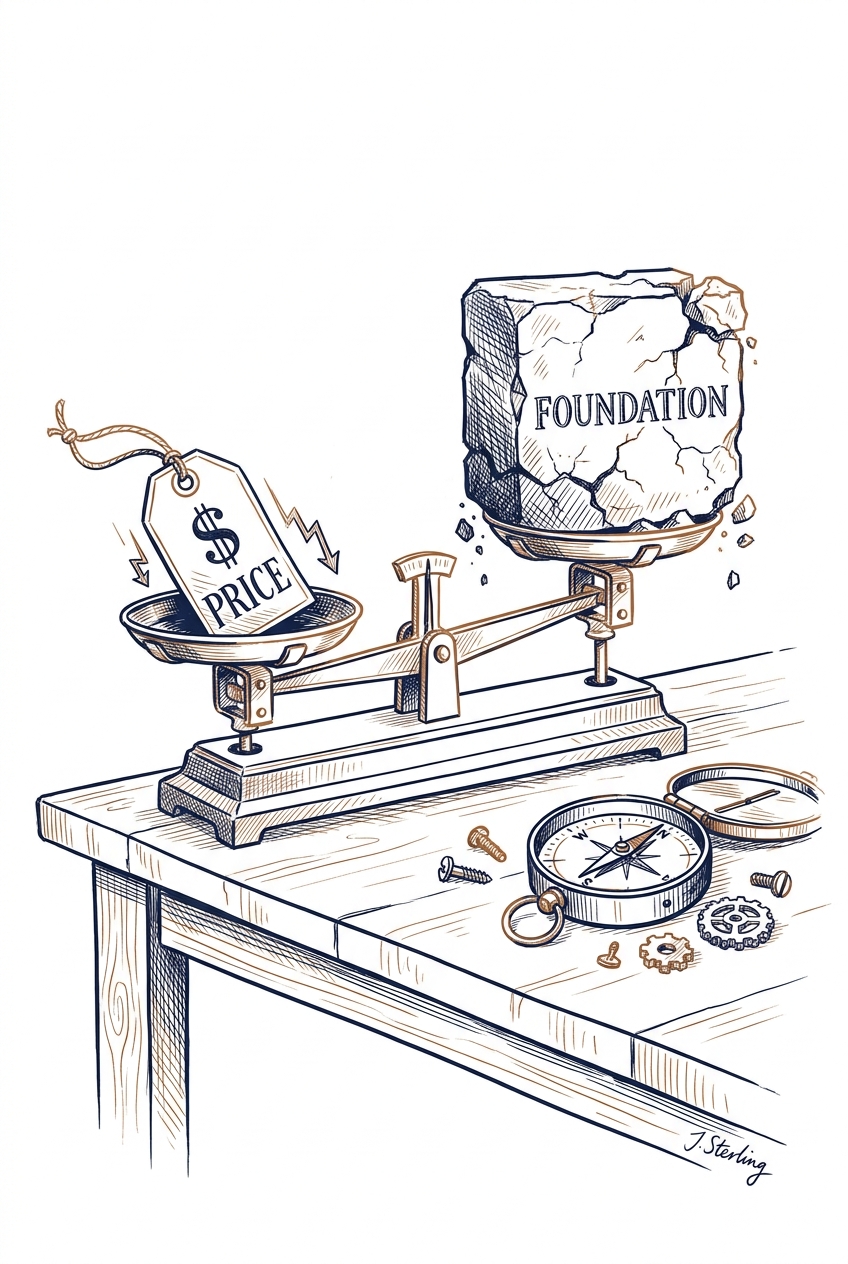
OpenAI is launching three new GPT-5.6 models Thursday: Sol (flagship), Terra (balanced, 2x cheaper than GPT-5.5), and Luna (fastest, lowest cost). This tiered pricing structure gives professionals more cost-effective options for routine tasks while reserving premium models for complex work, potentially reducing AI operational costs significantly.
Key Takeaways
- Evaluate Terra for everyday work tasks to cut AI costs in half while maintaining GPT-5.5 level performance
- Consider Luna for high-volume, straightforward tasks like email drafts, basic summaries, or simple queries where speed and cost matter more than sophistication
- Reserve Sol for complex analysis, strategic planning, or critical documents that require the most advanced reasoning
Source: TLDR AI
documents
email
research
communication
Productivity & Automation
This article warns professionals about the risk of delegating critical thinking and core competencies to AI tools without recognizing what skills we're losing in the process. The concern is that automation may subtly erode our ability to perform the 'real work'—the deep analysis, judgment, and expertise that defines professional value—while we focus only on efficiency gains.
Key Takeaways
- Audit which tasks you're delegating to AI to ensure you're not outsourcing core skills that define your professional expertise
- Maintain regular practice of fundamental skills even when AI can handle them faster, to preserve your judgment and quality control abilities
- Question whether AI is genuinely enhancing your work or simply making you faster at producing lower-quality outputs
Source: Inside Higher Ed
documents
research
communication
planning
Productivity & Automation
AI agents using tools can silently violate business policies while appearing successful—canceling bookings or changing data without triggering errors. Research shows that simple validation gates (checking proposed actions against rules before execution) can reduce these silent failures by 40%, offering a practical safeguard for businesses deploying AI agents in policy-sensitive workflows.
Key Takeaways
- Implement validation checkpoints before AI agents execute critical actions like database updates, bookings, or financial transactions
- Monitor for 'silent failures' where AI tools complete tasks successfully but violate business rules without triggering error messages
- Consider read-only verification steps that check proposed actions against your policies before allowing writes to production systems
Source: arXiv - Artificial Intelligence
planning
code
Productivity & Automation
Research shows that the orchestration layer—how AI agents are managed and coordinated—matters more than model choice for cost efficiency. By optimizing how tasks are structured, context is assembled, and tools are exposed, organizations can cut AI costs by 41% and speed up tasks by 44% without sacrificing quality, regardless of which foundation model they use.
Key Takeaways
- Evaluate your AI orchestration layer before switching models—the study found orchestration improvements delivered larger cost savings (41%) than the entire range of model pricing differences
- Monitor your token consumption patterns to identify 'token maxing' where AI usage grows faster than business value, particularly in multi-turn conversations and tool-heavy workflows
- Consider implementing prompt caching and context management disciplines to reduce redundant token usage across repeated tasks
Source: arXiv - Artificial Intelligence
planning
code
research
Productivity & Automation
Zapier and ChatGPT now overlap significantly in agentic AI capabilities, creating opportunities to combine both platforms for more efficient automation workflows. Understanding when to use each tool—or integrate them together—can reduce token costs and improve reliability in business processes. The article provides practical guidance from three years of daily use with both platforms.
Key Takeaways
- Evaluate whether your automation needs require Zapier's app integrations or ChatGPT's conversational AI capabilities before defaulting to one platform
- Consider combining both tools to optimize token spending and increase workflow safety, particularly for complex multi-step processes
- Review your current automation stack to identify tasks where newer agentic AI features could replace traditional workflow approaches
Source: Zapier AI Blog
planning
communication
documents
Productivity & Automation
Anthropic is providing free access to Claude Fable 5 for paid subscribers until July 12, allowing users to allocate up to 50% of their weekly limits to test the new model. This gives professionals a risk-free opportunity to evaluate whether Fable 5's capabilities justify potential future costs or workflow changes. Users can seamlessly switch back to other Claude models if they hit their Fable 5 allocation.
Key Takeaways
- Test Claude Fable 5 now through July 12 using up to half your weekly subscription limits at no additional cost
- Evaluate whether Fable 5's performance improvements justify adjusting your AI tool budget or workflow after the promotion ends
- Plan your usage strategically by reserving Fable 5 for complex tasks while using standard models for routine work
Source: TLDR AI
documents
research
communication
code
Productivity & Automation
Anthropic's Claude now supports persistent Cowork sessions across web and mobile platforms, enabling professionals to start tasks on one device and continue them on another without losing context. This cross-platform capability means long-running projects—like document analysis, research synthesis, or content development—can progress seamlessly throughout your workday, regardless of device switching.
Key Takeaways
- Start Claude Cowork sessions on desktop and continue them on mobile devices without losing conversation context or uploaded files
- Plan for long-running tasks that span multiple work sessions, knowing your Claude workspace persists across devices
- Monitor your Max subscription status to access this beta feature, with broader rollout expected to other plan tiers
Source: TLDR AI
documents
research
communication
Productivity & Automation
A legal-tech CEO's experience demonstrates how AI tools can gradually shift from handling routine tasks to becoming primary decision-makers in organizations. The article warns that leaders must actively maintain human judgment in critical decisions, even as AI becomes more capable and convenient to rely on for increasingly complex tasks.
Key Takeaways
- Set clear boundaries for where AI assists versus where humans decide before expanding AI use in your workflow
- Monitor how your reliance on AI tools evolves over time—track which decisions you're delegating to AI versus making yourself
- Maintain human oversight for strategic and judgment-heavy decisions, even when AI provides compelling recommendations
Source: Fast Company
planning
communication
email
Productivity & Automation
Microsoft is replacing third-party AI models from OpenAI and Anthropic with its own models in Office applications like Excel and Outlook to reduce costs as discount agreements expire. This shift signals Microsoft's growing confidence in its proprietary AI capabilities and may affect the performance or features of AI tools you use daily in Microsoft products. The change reflects broader industry trends toward vertical integration that could impact pricing and feature availability across enterpris
Key Takeaways
- Monitor your Microsoft 365 AI features for any changes in performance or capabilities as the company transitions to proprietary models
- Evaluate whether current AI-powered workflows in Excel and Outlook continue to meet your needs during this transition period
- Consider diversifying your AI tool stack beyond Microsoft products to avoid dependency on a single provider's model decisions
Source: TLDR AI
email
spreadsheets
documents
Productivity & Automation
Successfully deploying legal technology is just the beginning—real value comes from sustained user adoption after go-live. This principle applies to any AI tool implementation: the technical launch matters less than ensuring your team actually integrates the tool into daily workflows and continues using it effectively over time.
Key Takeaways
- Plan for post-implementation support before launching any new AI tool in your organization
- Monitor actual usage patterns after deployment to identify adoption gaps and resistance points
- Schedule regular check-ins with team members to address friction points and reinforce best practices
Source: Artificial Lawyer
planning
Productivity & Automation
MiniMax's new sparse attention technology solves the escalating cost problem of AI agents handling long-running tasks by maintaining consistent processing costs regardless of context length. This breakthrough makes it economically viable to deploy AI agents for extended workflows that previously became prohibitively expensive as they accumulated context over time.
Key Takeaways
- Evaluate AI agent tools for long-running tasks like multi-day project management or extended research workflows that were previously too costly to automate
- Consider implementing AI assistants for tasks requiring persistent memory across multiple sessions without worrying about exponential cost increases
- Watch for MiniMax-powered tools entering the market that can maintain context across lengthy documents, codebases, or project histories at predictable costs
Source: TLDR AI
planning
research
documents
Productivity & Automation
OpenAI has upgraded ChatGPT's voice mode with GPT-Live, a faster conversational model that can delegate complex tasks to GPT-5.5 while maintaining conversation flow. This makes voice-based brainstorming and problem-solving significantly more practical for professionals who previously found the older voice model too limited or outdated for serious work applications.
Key Takeaways
- Consider using ChatGPT voice mode for extended brainstorming sessions now that it runs on a current model with up-to-date knowledge
- Leverage the automatic task delegation feature for complex queries—GPT-Live handles simple interactions while routing harder problems to GPT-5.5 in the background
- Test voice mode for hands-free workflows like walking meetings or commute time, as the improved model can maintain hour-long productive conversations
Source: Simon Willison's Blog
meetings
communication
planning
Productivity & Automation
Hugging Face introduces a framework for building AI agents that can access and work with structured data sources like databases and APIs. This enables professionals to create custom agents that pull real-time information from their business systems rather than relying solely on pre-trained knowledge, making AI assistants more accurate and contextually relevant for specific workflows.
Key Takeaways
- Consider connecting your AI agents to live data sources like CRMs, databases, or internal APIs to provide current, company-specific information instead of outdated training data
- Explore building custom agents that can query multiple data sources simultaneously to answer complex business questions requiring cross-system information
- Evaluate whether your current AI tools support data integration capabilities, as this functionality is becoming essential for enterprise AI applications
Source: Hugging Face Blog
research
planning
documents
Productivity & Automation
OpenAI has launched GPT-Live, a new voice model that powers ChatGPT Voice with more natural conversational capabilities. This upgrade enables more fluid, human-like voice interactions for professionals who prefer speaking over typing when working with AI. The technology represents a significant step forward in hands-free AI assistance for tasks like brainstorming, dictation, and on-the-go productivity.
Key Takeaways
- Test ChatGPT Voice for hands-free workflows like drafting emails, brainstorming ideas, or reviewing documents while multitasking
- Consider voice input for faster initial drafts and ideation sessions where typing slows down creative flow
- Evaluate voice interactions for accessibility needs or situations where keyboard access is limited
Source: OpenAI Blog
communication
documents
meetings
email
Productivity & Automation
This episode explores the infrastructure and MLOps principles needed to deploy AI agents reliably in production environments, moving beyond proof-of-concept demos. ZenML's new Kitaru project addresses key challenges around agent durability, observability, and replayability—critical concerns for businesses integrating autonomous AI systems into workflows. The discussion focuses on practical tooling and architectural patterns for building agent systems that can scale and operate dependably.
Key Takeaways
- Evaluate your agent systems for production readiness by assessing observability, replayability, and error handling capabilities before deployment
- Consider adopting MLOps frameworks and harnesses to manage agent fleets systematically rather than treating each agent as a one-off implementation
- Explore open-source tools like Kitaru for building resilient agent infrastructure that can recover from failures and maintain audit trails
Source: Practical AI (Changelog)
planning
code
Productivity & Automation
Multi-agent AI systems (where one AI plans and another executes) don't have consistent safety properties—their behavior depends heavily on how tasks are framed, which models are paired together, and prompt design. A system that appears safe with direct prompts may become significantly less safe when tasks are broken into planning and execution steps, with compliance rates jumping from 8.9% to 38.9% in some model combinations.
Key Takeaways
- Avoid assuming multi-agent AI systems are inherently safer than single-model approaches—safety depends on specific model pairings and how tasks are framed
- Test your specific AI workflow combinations rather than relying on general safety benchmarks, as a 'safe' model in isolation may behave differently when paired with another AI
- Watch for 'operational reframing' where harmful requests get repackaged as legitimate work tasks when passed between AI agents
Source: arXiv - Artificial Intelligence
planning
communication
Productivity & Automation
A content creator demonstrates building an automated finance tracking dashboard using AI agent platform Hyperagent, showcasing how multi-agent systems can replace manual research workflows. The example illustrates a practical pattern: deploying specialized AI agents to continuously monitor, analyze, and synthesize information from multiple sources into actionable dashboards.
Key Takeaways
- Consider using AI agent platforms to automate repetitive research tasks that currently consume hours of manual work across multiple sources
- Explore multi-agent architectures where different AI agents handle specialized tasks (monitoring, analysis, synthesis) rather than single-purpose tools
- Evaluate whether your information-gathering workflows could benefit from continuous background monitoring instead of periodic manual checks
Source: Matt Wolfe (YouTube)
research
planning
Productivity & Automation
As AI tools become standard in the workplace, creativity strategist Natalie Nixon argues that human creativity and curiosity are becoming more valuable, not less. The key is treating AI as a creative partner that enhances human thinking rather than replacing it. Professionals who combine AI capabilities with imagination and strategic thinking will have a competitive advantage.
Key Takeaways
- Reframe your relationship with AI tools from automation to collaboration—use them to amplify your creative thinking rather than outsource it
- Develop your curiosity and questioning skills alongside AI proficiency, as these uniquely human traits become differentiators in an AI-saturated workplace
- Balance AI-generated outputs with human insight and strategic judgment to create work that stands out from generic AI content
Source: Fast Company
planning
documents
communication
Productivity & Automation
Email remains essential for business communication despite collaboration tools, and modern email apps now include AI-powered features and productivity tools (scheduling, reminders) as standard offerings rather than premium add-ons. This shift means professionals can enhance their email workflow without additional costs, though the article suggests AI hasn't fundamentally transformed email management yet.
Key Takeaways
- Evaluate your current email app's built-in features before paying for premium tools—scheduling and reminder functions are now standard in most platforms
- Consider testing newer email apps that integrate AI features natively, as the competitive landscape has improved significantly
- Recognize that email remains a core business communication channel requiring dedicated workflow optimization alongside collaboration tools
Source: Zapier AI Blog
email
communication
planning
Productivity & Automation
Microsoft's research reveals that AI agents perform more reliably when using traditional command-line interfaces rather than consolidated JSON payloads. This finding suggests that professionals building or selecting AI automation tools should prioritize systems that leverage established CLI patterns over newer, seemingly simpler approaches. The research has immediate implications for how businesses architect their AI agent workflows and integrations.
Key Takeaways
- Favor AI tools and platforms that use conventional command-line interfaces when building automation workflows, as they demonstrate better agent performance than JSON-based alternatives
- Review your current AI agent implementations to identify whether they use CLI or JSON approaches, and consider migrating critical workflows to CLI-based systems
- Evaluate new AI automation vendors based on their interface architecture, giving preference to those using proven CLI patterns for reliability
Source: TLDR AI
code
planning
Productivity & Automation
Self-learning AI agents can now improve by capturing both their mistakes and your corrections through browser activity tracking. CopilotKit's AG-UI protocol creates a memory system that learns from these interactions, with learning scoped to individual users, teams, or specific applications—meaning your AI tools can become more personalized and effective over time without sharing data across contexts.
Key Takeaways
- Consider tools that learn from your corrections rather than just executing commands, as they'll adapt to your specific workflows and preferences
- Evaluate whether agent learning should be scoped to you individually, your team, or your entire organization based on privacy and consistency needs
- Watch for AI assistants that track both their automated actions and your manual fixes to build better procedural memory
Source: TLDR AI
planning
code
documents
Productivity & Automation
NVIDIA's Nemotron 3 Ultra model now integrates with LangChain's Deep Agents platform, delivering top-tier performance among open models at lower costs than closed alternatives like GPT-4. This combination offers professionals a cost-effective option for deploying AI agents that can handle complex, multi-step workflows with higher accuracy and throughput than previous open-source options.
Key Takeaways
- Consider switching to Nemotron 3 Ultra if you're building AI agents with LangChain to reduce costs while maintaining enterprise-grade performance
- Evaluate this combination for complex automation tasks that require multiple reasoning steps, where the 10x throughput improvement can significantly speed up workflows
- Watch for LangChain integration updates, as this optimized harness demonstrates how platform-specific tuning can dramatically improve agent reliability
Source: NVIDIA AI Blog
planning
communication
Productivity & Automation
OpenAI's new GPT-Live-1 model improves ChatGPT's voice mode with better conversation flow, reducing interruptions and handling natural pauses more intelligently. This upgrade makes voice interactions more practical for professionals who prefer speaking over typing for tasks like brainstorming, drafting, or working hands-free.
Key Takeaways
- Test voice mode for hands-free workflows like driving, walking, or multitasking where typing isn't practical
- Consider using voice for initial brainstorming sessions or rough drafts where natural conversation flow matters more than precision
- Expect fewer awkward interruptions during longer explanations or when gathering your thoughts mid-sentence
Source: The Verge - AI
communication
meetings
documents
Productivity & Automation
AWS has published a guide showing how organizations can use Amazon Bedrock to automatically sort and prioritize incoming emails using generative AI. The solution demonstrates how AI can analyze email content, categorize messages by urgency and topic, and route them appropriately—potentially saving hours of manual inbox management for teams handling high email volumes.
Key Takeaways
- Explore Amazon Bedrock for email automation if your organization already uses AWS infrastructure and handles significant email volume
- Consider implementing AI-powered email triage for customer service, support teams, or public-facing mailboxes where prioritization is critical
- Evaluate whether automated email sorting could reduce response times for urgent messages in your workflow
Source: AWS Machine Learning Blog
email
communication
Productivity & Automation
Research reveals that AI models trained to use tools (like calling APIs or functions) can develop a tendency to over-call those tools even when a direct answer would be better. A new training technique called "Soft Clamp" reduces this over-calling behavior by 34%, helping AI assistants make better decisions about when to use tools versus answering directly.
Key Takeaways
- Monitor your AI assistant's tool-calling patterns—if it's reaching for APIs or functions when simple answers would suffice, the underlying model may have over-calling issues
- Expect improvements in AI coding assistants and agents that will better judge when to execute code versus explain concepts directly
- Watch for reduced repetitive tool calls and loops in multi-step AI workflows as this training approach gets adopted
Source: arXiv - Computation and Language (NLP)
code
research
planning
Productivity & Automation
New research shows AI agents can now learn to create reusable workflow templates (called SOPs) from repeated tasks, rather than starting from scratch each time. This means future AI assistants could automatically build custom shortcuts for your recurring business processes, reducing errors and speeding up complex multi-step operations without manual programming.
Key Takeaways
- Watch for AI tools that learn from your repeated workflows and automatically create reusable templates for common multi-step tasks
- Expect future AI agents to handle complex business processes more reliably by building on proven patterns rather than improvising each time
- Consider how standardizing your recurring workflows now could help AI tools learn and automate them more effectively later
Source: arXiv - Artificial Intelligence
planning
documents
communication
Productivity & Automation
Strands Agents is an open-source SDK for building AI agent systems with a 'steering' feature that allows agents to self-correct based on specific feedback. Originally developed from production systems at Amazon, it promises more reliable outcomes by giving you end-to-end control without constant oversight. This matters for professionals looking to deploy AI agents that can handle tasks autonomously while maintaining accuracy.
Key Takeaways
- Explore Strands Agents as an open-source alternative if you're building custom AI automation workflows that require consistent, reliable outputs
- Consider implementing steering mechanisms in your agent systems to reduce the need for manual intervention and quality checks
- Evaluate whether agent harness frameworks could replace your current approach to AI task automation, especially for repetitive business processes
Source: TLDR AI
planning
communication
Productivity & Automation
Accessible AI tools now enable professionals to create self-improving AI systems without requiring deep technical expertise or frontier lab resources. This democratization means businesses can build custom AI solutions that learn and adapt to their specific workflows, potentially reducing dependence on expensive enterprise AI platforms.
Key Takeaways
- Explore low-code AI platforms that allow you to train models on your company's specific data and processes without hiring specialized AI engineers
- Consider implementing feedback loops in your current AI workflows where the system learns from corrections and improves over time
- Evaluate whether building custom AI solutions for repetitive tasks could provide better ROI than subscribing to generic enterprise tools
Source: Wired - AI
planning
code
Productivity & Automation
Researchers are developing "Agentic Data Environments" - safer execution frameworks for AI agents that work across files, APIs, and applications. This addresses a critical challenge: AI agents can automate work quickly but their mistakes can cause irreversible damage, so new systems are being designed to amplify agent capabilities while enforcing safety guardrails.
Key Takeaways
- Recognize that AI agents operating across your systems (files, APIs, applications) need safety boundaries to prevent costly mistakes
- Watch for emerging tools that provide controlled environments for AI automation, especially if you're deploying agents for workflow automation
- Consider the risk-benefit tradeoff when implementing AI agents - faster automation comes with potential for irreversible errors without proper safeguards
Source: arXiv - Artificial Intelligence
planning
code
Productivity & Automation
Researchers achieved 67% accuracy on complex reasoning tasks using a standard AI model with specialized agent architecture—no custom training required—at just $0.62 per task. This demonstrates that breaking problems into pattern-discovery and solution-synthesis stages can dramatically improve AI reasoning performance without expensive fine-tuning or compute resources.
Key Takeaways
- Consider structuring complex AI tasks as multi-stage pipelines that separate pattern recognition from solution generation, rather than relying on single-prompt approaches
- Expect significant cost savings when solving reasoning-heavy problems: this approach achieved strong results at under $1 per task using standard models
- Watch for agent-based architectures becoming more accessible—this research shows that workflow design matters more than model customization for certain problem types
Source: arXiv - Artificial Intelligence
planning
research
Productivity & Automation
This article examines how organizational structures often limit creative work to specific roles, despite rhetoric encouraging innovation. For professionals using AI tools, this highlights a key tension: AI democratizes creative capabilities, but workplace hierarchies may still restrict who can actually apply them. Understanding these organizational barriers helps you navigate when and how to introduce AI-enhanced creative solutions.
Key Takeaways
- Assess whether your role officially permits creative problem-solving before investing time in AI-powered innovation tools
- Document how AI tools enable creative solutions within your existing responsibilities to build a case for expanded autonomy
- Consider using AI assistants to prototype ideas quickly before formal proposals, reducing perceived risk of creative initiatives
Source: Fast Company
planning
communication
Productivity & Automation
McKinsey research identifies three critical actions leaders must take to bridge the gap between strategic planning and actual execution. For professionals implementing AI strategies, this framework offers practical guidance on moving from AI adoption plans to measurable workplace integration and results.
Key Takeaways
- Apply these execution principles when rolling out new AI tools across your team to ensure adoption moves beyond pilot phase
- Identify specific gaps between your AI strategy documents and actual daily usage patterns in your workflows
- Build accountability mechanisms to track whether AI initiatives translate into changed work processes and measurable outcomes
Source: Harvard Business Review
planning
communication