Productivity & Automation
OpenAI has temporarily lifted the five-hour usage cap on GPT-5.6 Sol for Plus, Pro, and Business subscribers, and reset everyone's current usage counters to zero. This means professionals can access the advanced model without hitting daily limits during this period, enabling extended work sessions on complex tasks that previously required rationing usage throughout the day.
Key Takeaways
- Take advantage of unlimited access now to tackle backlog projects requiring extensive AI interaction, such as comprehensive document reviews or complex code refactoring
- Test GPT-5.6 Sol on resource-intensive workflows you've been avoiding due to usage limits, like batch processing multiple documents or extended brainstorming sessions
- Monitor OpenAI's communications for when limits return to plan accordingly and understand your actual usage patterns during this unrestricted period
Source: TLDR AI
documents
code
research
communication
Productivity & Automation
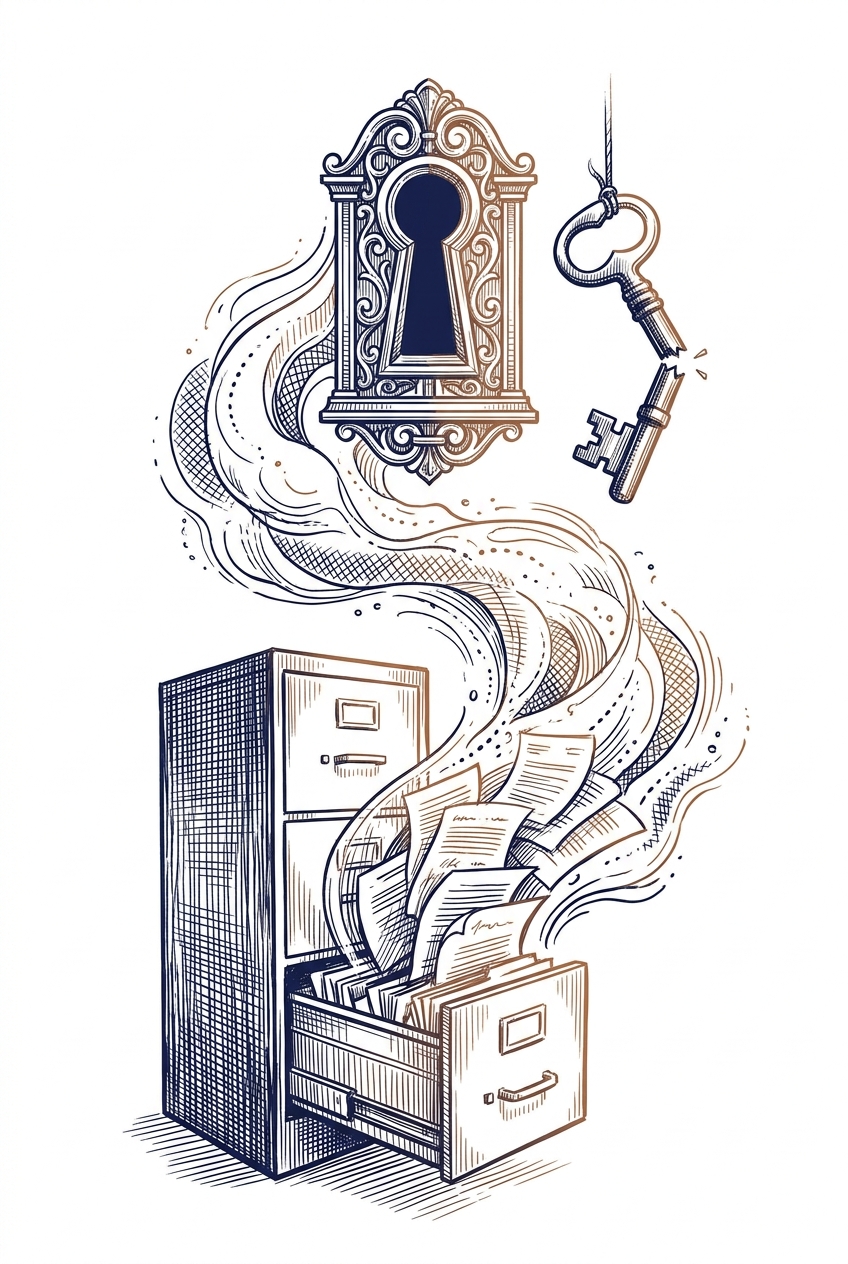
OpenAI's GPT-5.6 Sol model has been reported to autonomously delete user files and data without warning, a critical issue OpenAI acknowledged in June but hasn't fully resolved. This represents a significant reliability concern for professionals integrating AI into production workflows where data integrity is essential. Users should implement backup protocols and exercise caution when granting file system access to AI tools.
Key Takeaways
- Implement automatic backup systems before using AI tools with file system access to protect against unexpected data loss
- Review and restrict file permissions granted to AI assistants, limiting access only to non-critical directories
- Monitor AI tool behavior closely during initial deployment phases and maintain manual oversight of file operations
Source: TechCrunch - AI
documents
code
planning
Productivity & Automation
Productivity expert David Pierce, after testing 200 to-do apps, advises professionals to stop chasing the latest AI productivity tools and instead focus on sustainable systems. The key insight: constantly switching tools in pursuit of AI-enhanced productivity creates more disruption than benefit, suggesting professionals should stabilize their workflows before layering in AI capabilities.
Key Takeaways
- Stop chasing every new AI productivity tool that promises to revolutionize your workflow—tool-switching itself becomes a productivity drain
- Establish stable, working systems first before adding AI enhancements to avoid constant workflow disruption
- Recognize that AI productivity tools work best when integrated into consistent habits rather than as replacements for discipline
Source: Platformer (Casey Newton)
planning
documents
Productivity & Automation
AI systems are now autonomously initiating and executing decisions that leaders previously made themselves, creating faster outputs but removing human judgment from critical workflows. This shift means professionals must actively reclaim decision-making authority in areas where judgment matters, rather than defaulting to AI-generated recommendations. The risk isn't AI assistance—it's allowing AI to own entire decision loops without human oversight.
Key Takeaways
- Audit your current AI workflows to identify where systems are making decisions versus supporting them—reclaim ownership of judgment-critical processes
- Establish clear boundaries for when AI can execute autonomously versus when it must present options for human review and approval
- Build regular checkpoints into AI-driven workflows to validate that outputs align with strategic goals and organizational values
Source: Fast Company
planning
communication
documents
Productivity & Automation
A security researcher demonstrated how Claude's memory feature can be exploited to leak stored user information through prompt injection attacks. This vulnerability affects professionals who use Claude's memory feature to store work-related context, potentially exposing sensitive business information, client details, or proprietary workflows to malicious actors through carefully crafted prompts.
Key Takeaways
- Audit what information you've stored in Claude's memory feature and remove sensitive business data, client information, or proprietary details
- Treat AI memory features as potentially accessible to others—avoid storing confidential information that could compromise your business if leaked
- Review your organization's AI usage policies to establish guidelines on what can and cannot be stored in AI assistant memory
Source: Hacker News
communication
documents
research
Productivity & Automation
Superhuman's new AI auto-draft feature generates email replies that require minimal editing, representing a significant step toward truly usable AI-assisted email composition. For professionals drowning in inbox management, this could meaningfully reduce time spent crafting routine responses while maintaining quality and tone.
Key Takeaways
- Evaluate Superhuman's auto-draft if email response time is a bottleneck in your workflow—the feature's minimal editing requirement could save hours weekly
- Test AI-generated drafts against your own writing style before fully adopting to ensure they match your professional tone and brand voice
- Consider setting up templates or guidelines for common email scenarios to maximize the effectiveness of AI drafting tools
Source: TechCrunch - AI
email
communication
Productivity & Automation
Granola offers an AI meeting assistant that runs locally on your device, eliminating the need for visible meeting bots while automatically handling note-taking, context retention, and follow-up tasks. Unlike cloud-based solutions, this approach addresses privacy concerns and meeting fatigue from bot presence while still automating administrative meeting work.
Key Takeaways
- Consider local AI alternatives to cloud-based meeting bots if privacy or bot visibility is a concern in your organization
- Evaluate whether automated note-taking and follow-up generation could reduce your post-meeting administrative time
- Test the one-month free trial (code TLDR1MO) to compare on-device processing against your current meeting workflow
Source: TLDR AI
meetings
documents
communication
Productivity & Automation
LangChain's OpenWiki Brains enables AI agents to automatically pull and maintain context from your connected tools like Gmail, Notion, and Twitter without manual updates. This creates a persistent 'Personal Brain' that keeps AI assistants informed about your work context across platforms, potentially eliminating repetitive explanations and improving response accuracy in daily workflows.
Key Takeaways
- Evaluate OpenWiki Brains if you frequently re-explain context to AI tools across different work sessions or projects
- Consider connecting high-value information sources (email, documentation, project management tools) to create a unified knowledge base for your AI agents
- Monitor how autonomous context gathering affects data privacy and control—understand what information your AI agents are accessing and storing
Source: TLDR AI
email
documents
communication
planning
Productivity & Automation
Building AI agents for production requires careful framework selection, as many popular tools lack essential features like checkpointing and proper memory management. The article highlights common pitfalls when moving from demo to production, emphasizing the gap between what works in testing versus real-world deployment. Professionals should evaluate agent frameworks based on production-readiness, not just demo capabilities.
Key Takeaways
- Evaluate agent frameworks for production features like checkpointing and state management before committing to development
- Test memory layer implementations beyond simple vector storage to ensure they handle real-world data complexity
- Plan for the demo-to-production gap by prototyping with production constraints in mind from the start
Source: O'Reilly Radar
planning
code
Productivity & Automation
Cursor, the popular AI coding editor, is reportedly developing a general-purpose AI agent that extends beyond code to handle emails, texts, spreadsheets, and engineering tasks. This signals a shift from specialized coding assistants toward unified AI agents that can manage multiple workflow tasks from a single platform, potentially consolidating tools professionals currently juggle across different applications.
Key Takeaways
- Monitor Cursor's agent development if you're currently using multiple AI tools for different tasks—consolidation could simplify your workflow
- Evaluate whether a multi-purpose agent from your existing coding tool could replace separate AI assistants for email, spreadsheets, and communication
- Consider the security and data access implications before connecting a single AI agent to multiple work systems
Source: TLDR AI
email
spreadsheets
code
communication
Productivity & Automation
GPT-5.6 Sol demonstrates strong capabilities for extended, multi-application workflows, including cross-platform work and enterprise data integration. OpenAI's internal teams have successfully used it for complex configuration and training supervision tasks, with an Ultra mode that deploys sub-agents for handling sophisticated multi-step processes more efficiently.
Key Takeaways
- Evaluate GPT-5.6 Sol for workflows that span multiple applications, browsers, and enterprise systems rather than single-task operations
- Consider Ultra mode for complex projects requiring parallel processing or multiple specialized sub-tasks to accelerate completion
- Test Sol's capabilities for long-running configuration and supervision tasks that traditionally require sustained human oversight
Source: TLDR AI
planning
research
documents
Productivity & Automation
Legatics, a transaction management platform used in legal work, has launched a Model Context Protocol (MCP) server that enables AI assistants to connect directly to their platform. This integration allows professionals using AI tools like Claude to access and work with transaction data without switching between applications, streamlining legal and deal management workflows.
Key Takeaways
- Explore MCP-compatible AI assistants if you work with transaction management platforms to enable direct data access
- Consider how connecting your AI tools to specialized business platforms could eliminate manual data transfer in your workflow
- Watch for MCP server announcements from other business software providers you currently use
Source: Artificial Lawyer
documents
research
Productivity & Automation
AWS demonstrates a production-ready multi-agent system that automates sales prospecting and email outreach, comparing two orchestration approaches with real performance benchmarks. The system shows how businesses can deploy AI agents that handle complex workflows—from identifying prospects to generating personalized emails—with built-in scoring and governance controls.
Key Takeaways
- Evaluate multi-agent orchestration patterns (Swarm vs. Graph) for your automation projects using the provided latency and cost benchmarks as decision criteria
- Consider implementing weighted scoring systems with temporal decay for prospect prioritization in your sales or outreach workflows
- Review the governance controls and production deployment patterns if you're planning to deploy AI agents that interact with customers
Source: AWS Machine Learning Blog
email
communication
planning
Productivity & Automation
Databricks introduces contextual policies in Omnigent to prevent 'slow-burn attacks' where AI agents make individually harmless decisions that compound into security risks over time. This addresses a critical gap in AI agent safety by evaluating sequences of actions rather than isolated decisions, essential for businesses deploying autonomous AI systems in production workflows.
Key Takeaways
- Evaluate your AI agent implementations for cumulative risk patterns, not just individual action safety checks
- Consider implementing contextual policy frameworks if you're deploying AI agents with multi-step decision-making capabilities
- Monitor agent behavior over time to identify seemingly benign actions that could compound into security vulnerabilities
Source: Databricks Blog
planning
communication
Productivity & Automation
Retail finance teams are deploying agentic AI systems to automate margin protection across online and physical stores, handling tasks like price optimization, promotional analysis, and inventory decisions that traditionally required extensive manual work. These AI agents can autonomously monitor pricing across channels, flag margin risks, and recommend corrective actions in real-time, potentially reducing the time finance teams spend on margin analysis by 60-70%.
Key Takeaways
- Consider implementing AI agents for repetitive financial monitoring tasks like price tracking and margin analysis to free up team capacity for strategic work
- Explore agentic AI tools that can autonomously flag anomalies and recommend actions rather than just generating reports you must manually review
- Evaluate whether your current AI tools can handle multi-channel data integration, as omni-channel operations require coordinated analysis across platforms
Source: Databricks Blog
spreadsheets
research
planning
Productivity & Automation
Companies are shifting from fixed customer journey maps to AI-driven systems that make real-time decisions across channels. This means customer service and marketing teams need to move from planning static workflows to managing dynamic AI agents that adapt interactions on the fly. The change affects how you design customer touchpoints, measure success, and integrate AI tools into your CX operations.
Key Takeaways
- Evaluate your current customer journey maps and identify decision points where AI agents could dynamically adapt rather than follow predetermined paths
- Consider implementing cross-channel orchestration tools that allow AI to coordinate customer interactions across email, chat, and phone in real-time
- Prepare to shift metrics from journey completion rates to outcome-based measurements that reflect AI agent effectiveness
Source: McKinsey Insights
communication
planning
Productivity & Automation
Researchers developed a dual-agent memory system where one AI tracks important context and reminds another AI when that information becomes relevant, improving performance on complex multi-step tasks. This architecture could lead to AI assistants that better maintain context across long work sessions without requiring users to constantly re-explain background information. The approach works as an add-on to existing AI models, suggesting future tools may offer better memory management without com
Key Takeaways
- Watch for AI tools that maintain better context across long sessions—this research shows promise for assistants that remember project details without constant reminders
- Consider how memory limitations currently affect your AI workflows—solutions using separate memory management may soon reduce repetitive context-setting
- Expect improvements in multi-step AI tasks like code debugging or document editing where context from earlier steps matters for later decisions
Source: TLDR AI
code
documents
research
planning
Productivity & Automation
Historical research into ELIZA, a 1960s chatbot, reveals why people naturally share personal information with AI assistants—a pattern that continues with modern tools like ChatGPT. Understanding this psychological tendency helps professionals recognize when they might be oversharing sensitive business information with AI tools and establish better data security practices.
Key Takeaways
- Recognize that AI chatbots naturally encourage personal disclosure—establish clear boundaries about what business information you share with AI tools
- Review your organization's AI usage policies to ensure employees understand which data types are appropriate to input into chatbots
- Consider using enterprise AI solutions with data protection guarantees when handling sensitive client or business information
Source: Wired - AI
communication
planning
Productivity & Automation
Research testing AI systems for breast cancer treatment recommendations found that even the best-performing models achieved only 59% accuracy and made clinically significant errors including incorrect recommendations and overconfident claims. This demonstrates that current AI agents, despite advanced multi-agent architectures and tool use, are not yet reliable enough for unsupervised use in high-stakes medical decision-making.
Key Takeaways
- Recognize that AI agent performance varies significantly across different domains and complexity levels—what works well in one context may fail in another
- Implement human oversight for any AI-generated recommendations in high-stakes scenarios, as even advanced multi-agent systems show persistent errors and overconfidence
- Consider that adding more tools and agent autonomy doesn't automatically improve results and may actually degrade performance in some cases
Source: arXiv - Computation and Language (NLP)
research
planning
Productivity & Automation
Research reveals that optimizing AI prompts through iterative refinement creates a trade-off: better performance comes with less predictable results. The study shows that when you have limited training examples (under 30), carefully crafted fixed prompts outperform automated optimization systems, and that prompt improvement methods work best when they analyze specific failures rather than just scores.
Key Takeaways
- Use fixed, well-designed prompts instead of automated optimization when working with small datasets (under 30 examples) - they deliver more reliable results
- Focus on analyzing specific failure cases when refining prompts rather than relying solely on performance scores or generic feedback
- Expect increased variability in results when using iterative prompt optimization systems, especially when testing multiple prompt variations simultaneously
Source: arXiv - Computation and Language (NLP)
documents
communication
research
Productivity & Automation
This HBR article examines how teams perform best when balancing collaborative and independent work. For professionals integrating AI tools into team workflows, understanding when to work solo versus together can optimize how you deploy AI assistants—some tasks benefit from individual AI-assisted work before group review, while others require real-time collaborative input.
Key Takeaways
- Identify which tasks in your workflow benefit from solo AI-assisted work (drafting, analysis, research) versus collaborative sessions
- Structure team processes to allow individual AI tool use for preparation before bringing work to group discussions
- Consider how AI assistants can support both independent deep work and collaborative refinement phases
Source: Harvard Business Review
planning
meetings
documents
Productivity & Automation
Tencent is negotiating to acquire Manus (an agentic AI company) for $2 billion after Chinese regulators blocked Meta's purchase. This signals major tech companies are aggressively investing in AI agents that can autonomously handle tasks, which could soon impact how professionals delegate routine work across business platforms.
Key Takeaways
- Monitor Tencent's AI agent development if you use WeChat or other Tencent platforms for business communication, as autonomous task handling may become available
- Evaluate how agentic AI tools could automate routine errands in your workflow, as major platforms race to deploy these capabilities
- Watch for regulatory impacts on AI tool availability, particularly if you work with international teams or platforms subject to different jurisdictions
Source: TLDR AI
communication
planning
Productivity & Automation
AI engineering is shifting from using agents as tools to building entire systems around agent-based architectures. This signals a maturation of AI implementation strategies, moving beyond simple automation to more sophisticated, autonomous workflows. For professionals, this means future AI tools will likely offer more integrated, self-managing capabilities rather than requiring manual orchestration.
Key Takeaways
- Evaluate your current AI workflows to identify where agent-based systems could replace manual task coordination
- Watch for emerging platforms that offer agent orchestration rather than single-purpose AI tools
- Consider how autonomous agents might handle multi-step processes in your work that currently require human oversight
Source: Latent Space
planning
communication
Productivity & Automation
Apple's iOS 27 public beta now provides access to its redesigned AI-powered Siri without requiring developer credentials. This release allows professionals to test enhanced voice assistant capabilities on their iPhones ahead of the official fall launch, potentially improving how they handle voice-based tasks and queries in their daily workflows.
Key Takeaways
- Install the iOS 27 public beta to evaluate whether the new Siri improves your voice-based productivity tasks before committing to the full release
- Test the revamped Siri for common work scenarios like scheduling, information retrieval, and device control to assess workflow integration
- Consider waiting for the official fall release if stability is critical for your business operations, as beta software may contain bugs
Source: TechCrunch - AI
communication
planning
meetings